New Email Encryption Experience
Exciting updates are coming to Email Encryption
We’re excited to announce our new Email Encryption experience, designed to make secure communication simpler and more efficient. These updates bring increased flexibility, greater control, and improved ease of use to secure communications. Rollout of the new experience will begin the week of Monday, December 9th, 2024.
Here’s a preview of what’s coming:
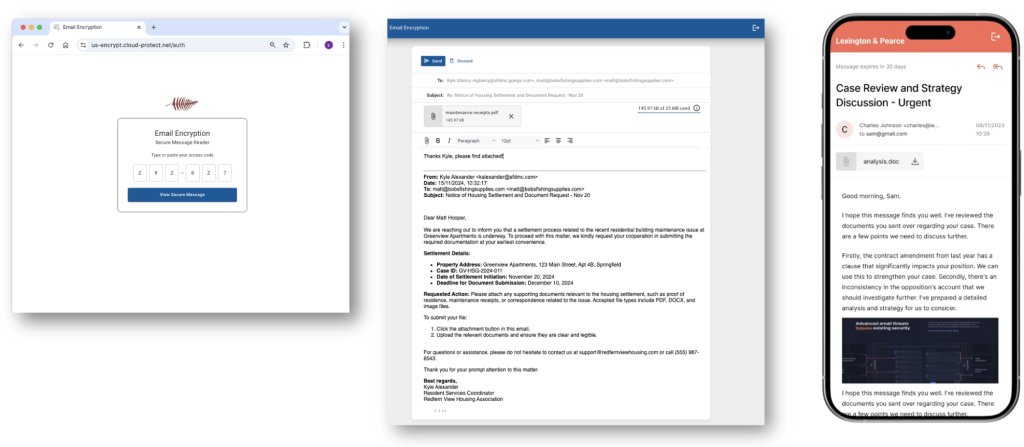
Fresh Look and Feel:
New styling updates ensure encryption aligns seamlessly with the end-user experience. The secure reader interface supports white labelling and automatically inherits customer branding for a cohesive, customized look.
New One-Time Encrypted Links
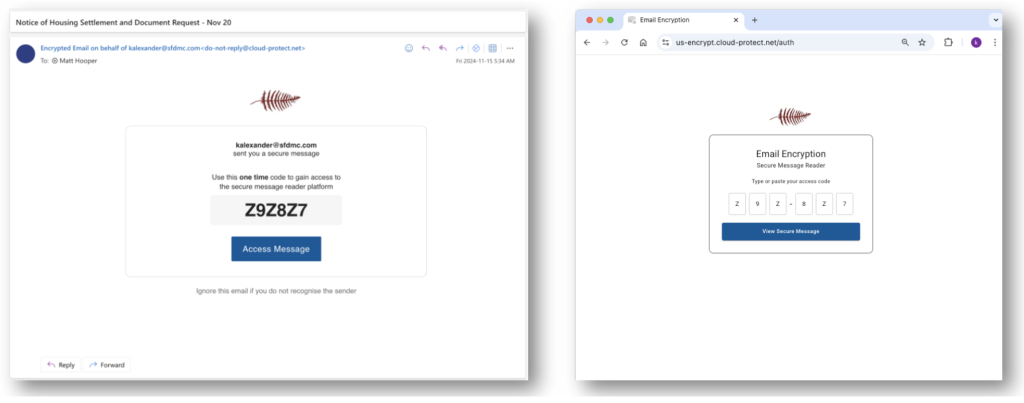
External recipients now have streamlined access to encrypted emails without needing to create an account or log in. This frictionless feature enhances the user experience, ensuring that secure communication remains as simple as possible.
New Read Receipts
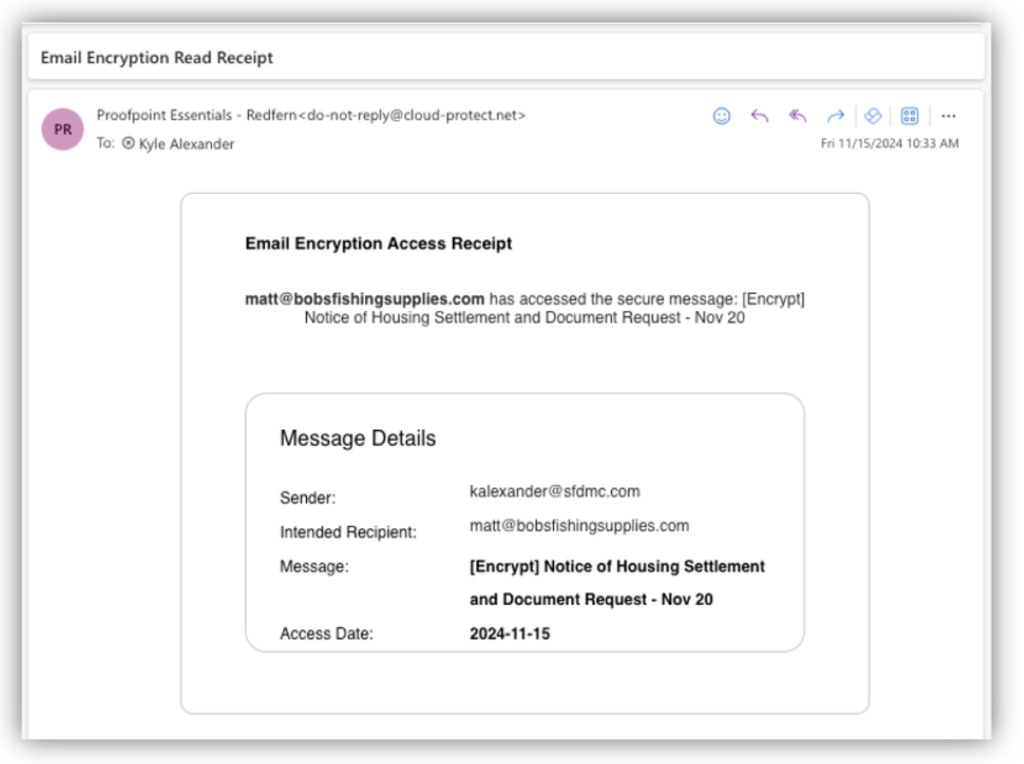
Stay informed with the new read receipts feature, providing senders with automatic notifications when their encrypted messages are opened.
- Automatic Tracking: All encrypted emails will include read receipts, eliminating the need for any additional steps.
- Real-Time Insights: Instantly track when recipients open and engage with encrypted messages, ensuring complete visibility and enhanced communication assurance.
New Thread Expiry
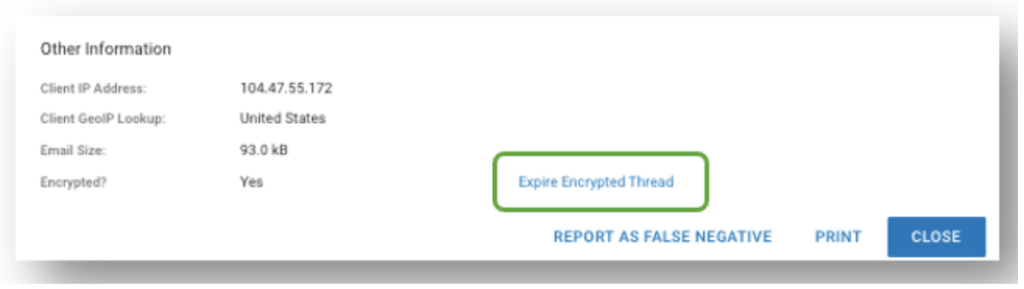
Take greater control of encrypted conversations with the new thread expiry feature. This enhancement allows administrators and original thread owners to easily revoke access to entire encrypted email threads, ensuring tighter management of sensitive information.
- Revoke Access with a Click: Expire encrypted threads effortlessly from Log Details page.
- Shorter Access Periods: Users can enforce shorter access periods for encrypted message threads by using the thread expiry feature. This ensures control over how long recipients can view encrypted messages.
- Visibility into Expired Messages: Monitor expired communications with the new log status, Delivered (Expired), for complete transparency.
- Enhanced Security and Flexibility: Manage the lifecycle of sensitive content, ensuring access is only maintained as long as necessary.
Improved Message Threading:
It helps external users stay informed and engaged with enhanced message threading that preserves context and organization. This improvement makes conversations more intuitive, reducing confusion and enhancing the overall user experience.
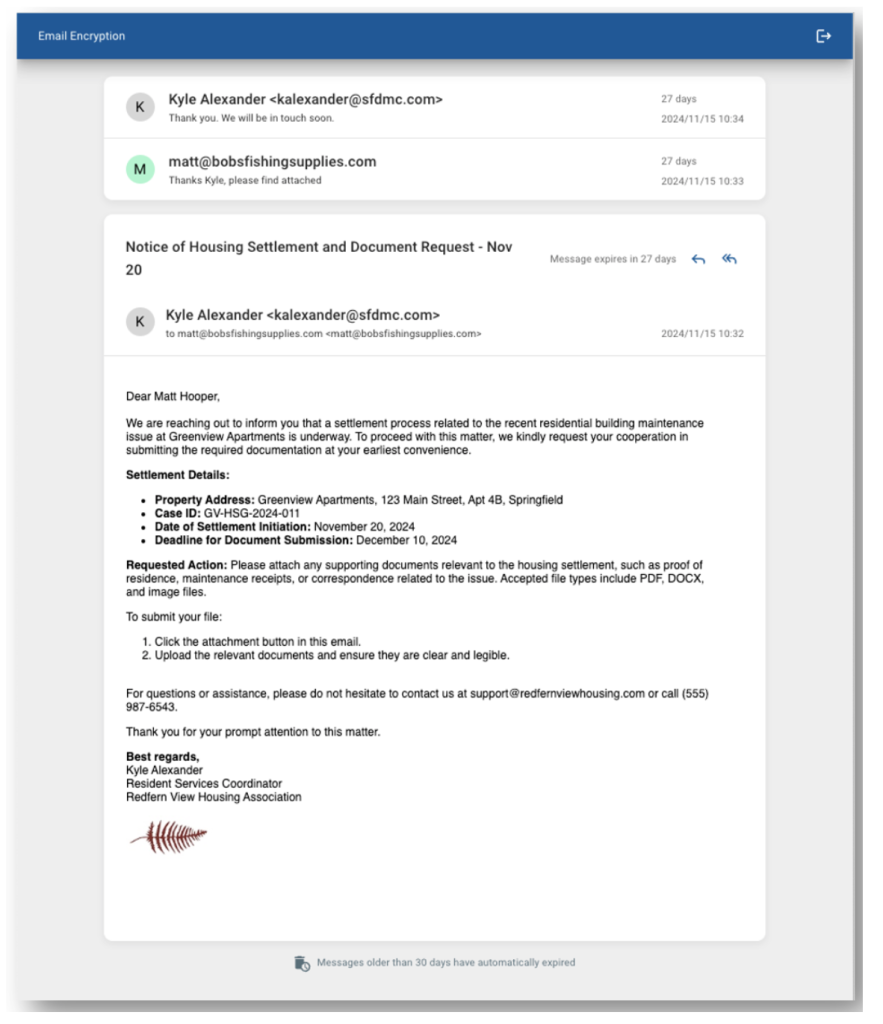
Extended Access to Encrypted Messages
Encrypted messages can now be accessed for up to 30 days (previously 14 days), providing users with greater flexibility and convenience to manage and access communications at their own pace.
FAQ
- How do I get the new email encryption experience?
- The new experience will be automatically enabled for customers that have the email encryption feature licensed.
- What will happen to existing encrypted messages sent prior to the new experience upgrade?
- Messages sent before the transition to the new experience will remain accessible through the old interface. External recipients will still be able to view and respond to encrypted messages sent prior to the change using their existing login credentials. These messages will remain accessible until they expire after 14 days.
- Do I need to do anything to start using the new email encryption experience?
- No, the new experience will be enabled automatically, and there will be no changes to how you send encrypted emails.
- Will anything change for the person I am sending an encrypted message to?
- With the new update, external recipients will be able to access encrypted emails more seamlessly through One-Time Encrypted Links, without the need to create an account or set a password.While this change simplifies the user experience for external recipients, we continue to maintain robust security measures to ensure that email communications remain as secure as before—if not more so. Our streamlined process leverages secure, encrypted links that provide one-time access, protecting sensitive information and reducing the risk associated with weak or shared passwords.
Single-Use Access: One-time links are valid for a single use, minimizing the risk of unauthorized access compared to traditional login credentials, which can be reused or shared.
Reduced Credential Risk: By eliminating the need for external recipients to create and store passwords, we help prevent issues related to weak or compromised passwords.
Time-Limited Validity: One-time links are configured to expire after a set period, further limiting the window of opportunity for unauthorized access.
- With the new update, external recipients will be able to access encrypted emails more seamlessly through One-Time Encrypted Links, without the need to create an account or set a password.While this change simplifies the user experience for external recipients, we continue to maintain robust security measures to ensure that email communications remain as secure as before—if not more so. Our streamlined process leverages secure, encrypted links that provide one-time access, protecting sensitive information and reducing the risk associated with weak or shared passwords.
- Will I need to update my Outlook add-in, modify the subject line, or adjust filters for the new experience to function properly?
- No updates or changes are required; email encryption will continue to work seamlessly.
- How will images be handled in the new experience?
- Images will now be displayed within the message thread. By default, images are blocked from displaying, but users now have additional controls within the message to enable image display.
- When will the documentation be updated to include the new changes?
- Week commencing 9th December, 2024
Additional resources:
Email Encryption & Data Loss Prevention (DLP) – Protect Sensitive Information


